
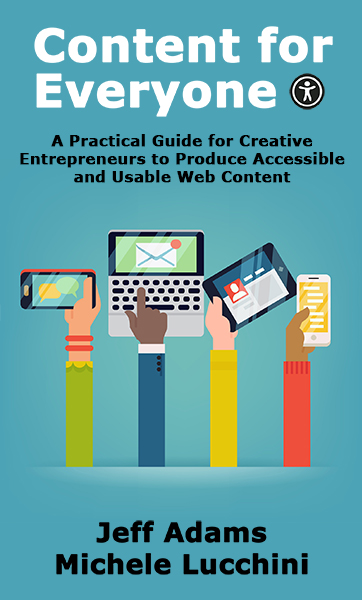
Content for Everyone
Buy the Book
Buy direct from me on Curios. Ebooks and audiobooks can be downloaded directly, or sent to BookFunnel as well as Kindle, Kobo, and Nook devices.
You can purchase the book from your favorite online store.
Select a StorePlus you can request this book from your local library.
A Practical Guide for Creative Entrepreneurs to Produce Accessible and Usable Web Content
Content for Everyone is a must-read for creative entrepreneurs looking to improve the usability and accessibility of their website, email and social media content.
With over a billion people living with some form of disability worldwide, it’s more important than ever to make sure your content is accessible. In this easy-to-follow practical guide, you’ll learn techniques to make your content more accessible, without needing any in-depth technical knowledge. From adding meaningful alternative text to images, to choosing colors with enough contrast for easy readability, to adding captions to your videos and more, Content for Everyone has everything you need to reach a wider audience and improve the user experience for everyone.
Don’t miss out on the opportunity to improve your content and reach more people.
Fast Facts
- Co-author
- Michele Lucchini
- Tropes
- Digital accessibility for creatives, Website, email, social media
- Formats
- Ebook, Paperback, Large Print Paperback, Audiobook , 28 thousand words
- Narrator
- Jeff Adams
Read Chapter 1
Why Accessible Content Matters
Because it is the right thing to do!
It also helps you get your message out to everyone, with no exceptions.
Are you an author promoting your latest book?
Are you a podcaster putting the word out about your show?
Are you a painter or sculptor sharing your latest creation?
Are you a musician showcasing a new song?
No matter how you express your creativity and how you put that out into the world, your business relies on connecting with your current and future audiences so they can find out about what you’ve made and how they can get it.
Accessibility is about being inclusive so that everyone who wants to interact with your content feels included because they can access it in the way that works best for them.
In this day, with all the knowledge and technology that’s available, it should be commonplace to find that content is accessible. Sadly, that’s not the case. It’s more common than not to find inaccessible content.
You can help change that by making sure what you put online is as accessible as possible and encouraging your friends and colleagues to do the same.
Before we get into what you can do, let’s review some statistics that help illustrate how important this is.
By the Numbers
Here are statistics about the known disabled population around the world:
- United States: 61 million adults live with a disability. That translates to roughly 1 in 4 U.S. adults.
- Canada: 6 million, or 22% of Canadians aged 15 and over.
- United Kingdom: 14.6 million, or 22% of adults.
- European Union: Approximately 100 million, or 20% of adults.
- Worldwide: More than 1 billion, or approximately 15% of the world’s population, live with some form of disability.
Regardless of the country or region, between 15 and 25 percent of the population lives with some form of disability.
These numbers do not include people who have a temporary impairment. Consider someone who broke their wrist and can’t use a mouse. They might have to navigate their computer with a keyboard only. Or someone who wears glasses and lost them. Until they got a new pair, they might need to use a screen reader or some type of screen magnification to engage with text.
There are also situational impairments to consider. These are things that happen only in certain situations but can impact the ability to use digital content. For example, someone might need to activate captions to engage with a video if they’re in a crowded place and don’t have earphones for private listening. If someone is outside in the sun, glare might obscure their phone screen, so they might activate the phone’s screen reader to help them read text on the screen.
Don’t forget there can also be episodic impairments. Consider how a migraine, severe arthritis, vertigo, or other types of flare-ups can impact how someone interacts with the world and digital content.
The number of people with disabilities also increases as the population ages simply because as people age, they are more likely to become disabled.
Internet users are also older than ever before, especially since the COVID-19 pandemic forced many activities online, and therefore seniors have had to become more web-savvy. Now the internet is widely used by all ages to have easier access to goods, services, and content.
As these disability statistics explain, there are many people who may not be able to interact with the content you’re creating. If your website and digital communications aren’t created with accessibility in mind, you might not be connecting with someone who would love your creations.
Four Primary Disability Types
One of the major myths we routinely debunk is that accessible content means that it’s available to blind people who navigate with screen readers. While people who are blind and visually impaired are among the groups to consider, it is not the largest.
Here are the four primary disability types, and the percentage of adults in the U.S. who live with the disability.
Mobility: This is the largest group at 11.1%. Mobility impairments include cerebral palsy, muscle and joint conditions such as arthritis, and paralysis to name a few.
You may not think that a mobility impairment can cause trouble using a website; however, consider severe arthritis that might prevent someone from being able to hold and use a mouse or to tap on a screen accurately.
Cognitive: This is the next largest group at 10.9% of the U.S. adult population. Cognitive impairments include autism, any issues with text, math, or visual processing, and attention deficit hyperactivity disorder (ADHD) to name a few.
Things that can be difficult for people in this group include anything on a site that moves automatically—a carousel, a video, an animation—because it could be a distraction. Someone with dyslexia might have trouble if you’re using fancy, curly fonts as it may be more difficult for them to identify the words.
Auditory: Some form of hearing loss is present in 5.7% of the population. This group is key for anyone creating audio content as you must make it available in another format—transcripts and/or captions—so anyone can consume and enjoy it.
Visual: This group is 4.9%. Blindness, low vision, color blindness, and other forms of vision loss impact the way people perceive content. For the blind, screen readers—including text-to-speech tools and braille monitors—allow them to navigate digital content.
For those with vision loss, they rely on content being displayed with proper color contrast and that color isn’t the only way important information is presented, among other things.
Of course, it’s quite possible that people may have more than one disability, such as someone who may have low vision and ADHD or someone who may have hearing loss along with tremors in their hands.
The possible combinations are numerous, and in each case how someone navigates websites could be different, so it’s important to consider content accessibility from that understanding as well.
In addition, there may be members of your audience who use alternative ways to access content because it works best for them. For example, while screen readers are primarily used by those who have visual impairments, someone with dyslexia may use one as they’re visually reading text on the screen to help ensure they understand. Someone who has no hearing loss may read a podcast transcript rather than listen to the show because they may comprehend better when reading rather than listening.
The information we give you in the “Practical Guide” section takes these scenarios into account. You’ll find that we indicate how each type of impairment benefits from accessible content.